
I have tried several digital photo frames over the years, and the Nixplay Frame stands out as one you really should consider for your home. It brings your favorite memories to life with vibrant colors and easy sharing from family and friends.
You will love how it turns any room into a personal gallery that updates automatically. If you want a reliable way to display photos without constant fiddling, this frame delivers real joy every single day.
It makes a thoughtful gift too, and you will keep coming back to it for the warmth it adds to your space.
My Experience With The Nixplay Frame
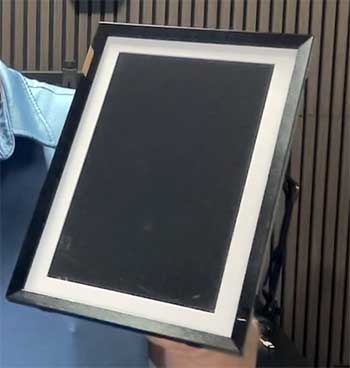
When I first unboxed my Nixplay Frame, I felt excited but also a bit unsure about setting it up.
I plugged it in, connected to my Wi-Fi through the app on my phone, and within minutes the frame came alive with the photos I had selected.
The touchscreen felt responsive as I swiped through options and adjusted settings right on the device itself.
You can invite others to send pictures directly, which means my sister in another state adds new shots of the kids without me lifting a finger.
I placed the frame on a side table in the living room where everyone gathers.
The motion sensor detects when someone walks in and wakes the display gently, then dims or turns off when the room empties to save energy.
That small detail makes daily use feel seamless and modern. Images look crisp and bright with good color reproduction, though I noticed skin tones sometimes lean a touch cool on certain photos. Videos play smoothly too, though the built-in speaker sounds a little thin for my taste.
Over the first few weeks I sent playlists from my phone and let family members contribute. The app lets you create specific collections so the frame does not show everything at once. I appreciated the ability to rotate orientation and fine-tune brightness based on room lighting.
One evening my parents visited and spent time pointing at old family pictures that popped up, sparking stories we had not shared in years. You know that feeling when technology fades into the background and just enhances real moments? That is exactly what happened here.
I did run into a minor hiccup with initial photo syncing from certain cloud services, but a quick app update fixed it. The frame itself feels sturdy with a clean design that blends into home decor rather than screaming gadget.
After a couple of months I still reach for it daily, and guests always comment on how nice it looks. If you have a pile of digital photos sitting unused on your phone, this frame gives them new life in a way that feels personal and effortless. You will smile more often as memories rotate through your space.
Pros of The Nixplay Frame

- You get sharp and vibrant image quality that makes everyday photos pop with clear details and lively colors right out of the box, helping you relive special moments with stunning clarity that feels almost better than looking at your phone screen.
- The motion sensor activates the display only when people enter the room, which saves power and keeps the experience natural so the frame never feels like it is wasting electricity or intruding when the house is quiet.
- Touchscreen controls let you swipe, adjust, and manage content directly on the frame without always grabbing your phone, giving you that satisfying hands-on feeling whenever you want to change something quickly.
- Easy sharing features allow multiple family members to upload photos and videos from their own devices through the app, turning the frame into a true collaborative family album that grows with everyone’s contributions.
- Built-in playlist options help you organize memories into themed collections so the display stays fresh and relevant instead of randomly mixing unrelated pictures that might not fit the mood.
- Auto brightness adjustment adapts to ambient light, ensuring pictures look great whether the room is bright or cozy at night, so you never have to worry about washed-out images or overly glaring screens.
- Support for HEIC files from iPhones means you do not have to convert photos before sending them over, saving you time and frustration especially when you are dealing with hundreds of shots from recent trips.
- The overall setup process feels straightforward even if you are not super tech-savvy, and the app guides you clearly so you can start enjoying your memories within minutes rather than hours.
These strengths make daily use enjoyable and reduce the frustration you might feel with other gadgets, letting you focus on the happy memories instead of fighting with technology.
Also Read: Comparison of Mpix And Shutterfly.
Cons of The Nixplay Frame
- The speaker audio for videos comes across a bit tinny, so you might prefer pairing with an external speaker for better sound if video matters a lot to you, especially when showing short family clips or holiday recordings that deserve richer audio.
- Recent changes to storage limits on the free plan push many users toward a paid subscription for unlimited uploads and full features, which can feel disappointing if you hoped to avoid any extra costs after buying the frame itself.
- No USB or SD card slot means you rely entirely on Wi-Fi and the app for adding new content, which can feel limiting if you prefer offline methods or want to transfer photos quickly without depending on internet connection.
- Screen resolution sits at 1280 x 800 on the 10.1-inch model, which looks good but does not match the higher pixel density of some premium competitors, making fine details slightly less sharp when you view the frame up close.
- Occasional syncing delays happen when uploading large batches, especially during peak family sharing times, so you may need a little patience if several people send photos at once during holidays or vacations.
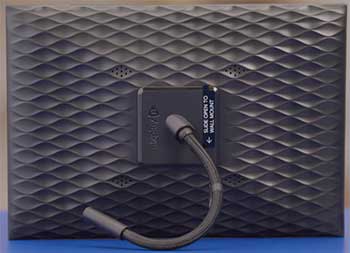
- The frame must stay plugged in at all times, so placement options depend on nearby outlets and the cord can sometimes show, requiring you to think carefully about where you position it in the room.
Even with these points, the frame still delivers solid value for most people who want simple photo sharing, and many of the drawbacks become minor once you settle into regular use.
Maintenance And Tips For Your Nixplay Frame
- Clean the screen gently with a soft microfiber cloth every week or two to remove fingerprints and dust so images stay crisp and clear, preventing buildup that could dull the vibrant display you paid for.
- Keep the frame away from direct sunlight or heat sources to prevent screen discoloration over time and extend its lifespan, protecting your investment from unnecessary damage caused by harsh lighting conditions.
- Check for firmware updates regularly through the app because new versions often improve performance and fix small bugs, ensuring your frame keeps running smoothly as the software evolves behind the scenes.
- Organize your playlists in advance to avoid clutter on the display and make sure only your favorite photos rotate through, creating a more curated and enjoyable viewing experience every time someone glances at the frame.
- Use the motion sensor settings wisely by adjusting sensitivity if the frame wakes too often or not enough in your space, fine-tuning it so the display activates exactly when you want without draining power unnecessarily.
- Monitor storage usage if you stay on the free plan and trim older files periodically to prevent hitting limits unexpectedly, keeping your collections manageable and avoiding sudden restrictions during important family moments.
- Place the frame on a stable surface or use a secure wall mount to avoid accidental knocks that could damage the stand or screen, giving you peace of mind especially if you have kids or pets moving around the house.
- Restart the frame once a month by unplugging it for thirty seconds to clear any temporary glitches and keep things running smoothly, a quick habit that prevents minor issues from building up over time.
- Invite only trusted family members to share so you maintain control over content and avoid unwanted photos appearing, preserving the positive and meaningful vibe you want on your display.
- Adjust color and brightness settings to match your room lighting preferences for the most natural looking display possible, personalizing the look so the photos feel warm and lifelike in your specific environment.
Following these simple habits will help you enjoy the frame for years without major headaches. You will spend less time troubleshooting and more time cherishing the memories on screen, making the whole experience feel effortless and rewarding in the long run.
Comparing Nixplay Frame With Other Brands
- Comparison With Keepsake Frames

When I look at Keepsake Frames next to the Nixplay, the biggest difference jumps out in how they serve your photos.
Keepsake focuses on printing and physically framing pictures you select through their app or site, so you end up with a traditional wall piece rather than a changing digital display.
You might love the high-quality prints and quick delivery if you want something permanent and tangible for a specific memory.
Nixplay, on the other hand, keeps things dynamic with Wi-Fi updates and family contributions flowing in automatically.
I found Keepsake better for one-off gifts or decor accents, while Nixplay wins when you crave an ever-evolving gallery that grows with your life. The physical nature of Keepsake means no power cords or subscriptions, but you lose the convenience of remote sharing that Nixplay offers so effortlessly.
- Comparison With Skylight Frame
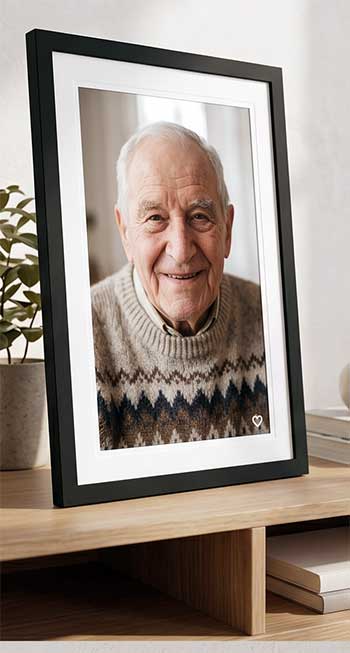
Skylight Frame feels very gift-friendly with its simple email-to-frame uploading that requires almost no tech knowledge from recipients.
I tried both and noticed Skylight pushes its Pro subscription quite often for extra features like albums or video support.
Nixplay gives you more control through playlists and a responsive touchscreen, plus that handy motion sensor for energy efficiency.
Skylight looks clean and modern but sometimes shows more empty space around portrait photos.
You will probably prefer Nixplay if your family already uses smartphones heavily and wants organized collections.
Skylight shines brightest for grandparents who just want to receive pictures without learning an app.
- Comparison With Aura Frame

Aura Frame often gets praised for its matte screen that mimics printed photos beautifully and offers excellent color accuracy with minimal pillarboxing on vertical shots.
In my side-by-side experience, Aura feels premium and simple with unlimited free storage in many cases, making it less likely to hit paywalls later.
Nixplay counters with a touchscreen you can interact with directly and stronger social media integration for pulling in fresh content.
Aura frames tend to look more like traditional art pieces, while Nixplay emphasizes smart features like auto wake and playlist management.
If you value a paper-like viewing experience above all, Aura might edge it out, but you will appreciate Nixplay more when multiple people contribute photos regularly and you enjoy tweaking settings yourself.
- Comparison With Level Frames
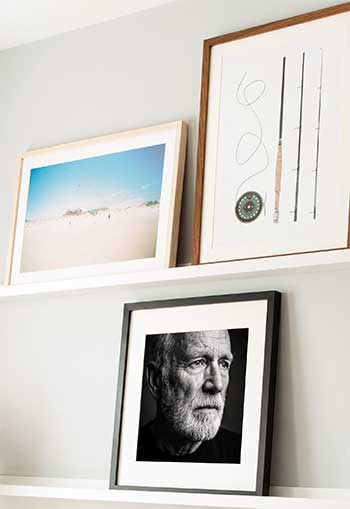
Level Frames specializes in custom physical framing with high-quality materials, precise measurements, and helpful tools like archival tape and cleaning supplies that arrive with your order.
Their process feels thoughtful for artwork or special prints you want displayed permanently.
Nixplay operates in a completely different space as a digital solution that rotates hundreds of photos without reprinting anything.
You might choose Level when you have one favorite image or canvas that deserves a beautiful static frame.
For ongoing family memories that update weekly, Nixplay provides far more flexibility and excitement.
Level wins on craftsmanship for traditional needs, but Nixplay brings the convenience of modern sharing that keeps your walls or shelves feeling alive.
Frequently Asked Questions (FAQ)
No mandatory monthly fee exists, but a paid subscription unlocks unlimited storage and extra features after free plan limits.
Many users and testers point to Aura models for overall quality, though Nixplay offers strong value with its interactive features.
Nixplay suits families who want playlists and touchscreen control, while Skylight works better for simple email sharing and gifting.
Yes, the basic free plan lets you use core functions, though storage capacity remains limited compared to the paid option.
Final Thoughts
After spending real time with the Nixplay Frame and comparing it honestly to other options, I keep coming back to how much warmth and connection it adds to everyday life. You get a device that stays out of the way yet constantly surprises you with meaningful moments from the people you love.
Sure, a few trade-offs exist around storage and audio, but the ease of sharing and the joy of seeing fresh photos appear make those easy to overlook.
If you want your home to feel more personal and your memories more present, I genuinely believe you should give the Nixplay Frame a try. It has earned a permanent spot in my living room, and I bet it will in yours too.