
I spent weeks testing Frameo and Skylight digital picture frames after my parents asked for an easy way to see family photos without dealing with phones or complicated tech.
In this article I walk you through the real differences so you can pick the one that actually fits how you and your family share memories every day.
| Feature | Frameo | Skylight |
| Price range (10-inch) | $50–$80 | $130–$160 |
| Subscription required | No (optional Plus ~$17/year) | No (optional Plus ~$40/year) |
| Sharing method | App only (friend code) | Email address + app |
| Storage | 16–32 GB local (varies by model) | 8–16 GB local |
| Video support | 15 sec free / 2 min with Plus | Requires Plus |
| Offline viewing | Yes (after photos load) | Yes |
| Touchscreen | Yes | Yes |
| Best for | Budget buyers, app-comfortable families | Seniors, email-friendly sharing |
| Build quality | Varies by third-party maker | Consistent brand hardware |
Key Differences between Frameo and Skylight

- Price and value over time Frameo frames land in the budget zone, often under eighty dollars for a solid ten-inch model. You pay once and the core photo-sharing works forever. Skylight starts closer to one hundred fifty dollars. That higher sticker feels steeper at first, yet many buyers decide the polished hardware and email option justify it. Over three years the total cost stays close if you skip both optional subscriptions. Add the paid tiers and Skylight pulls ahead in yearly fees. I noticed the cheaper Frameo models sometimes feel lighter in the hand, while Skylight sits with a more finished weight that matches real wooden frames on a shelf.
- How photos actually arrive With Frameo everyone needs the free app and a short friend code. You open the app, pick pictures, hit send, and they appear in seconds. Skylight gives the frame its own email address. Anyone can attach a photo and hit send from any email account. No app install required on the sender’s side. That single difference changes everything for grandparents who still prefer email over downloading another app. I tested both methods with relatives of different ages and the email route won for pure simplicity.
- Hardware consistency Frameo is a software platform. Many brands sell frames that run it, so screen quality, bezel thickness, and storage size change from listing to listing. You must read the specific product page carefully. Skylight designs and sells its own frames. You get predictable resolution, consistent touch response, and matching accessories like interchangeable outer frames on newer models. If you want the same look and feel every time, Skylight removes the guesswork.
- Subscription pressure Both companies offer free core use. Frameo limits free sends to about ten photos at once and fifteen-second clips. Skylight locks video, captions, and some remote controls behind its Plus plan. Neither forces you to pay, yet both gently push the upgrade when you try longer videos or bulk uploads. I stayed on free tiers for months and never felt blocked from daily family sharing.
- Who each frame suits best Frameo shines when the whole family already lives on smartphones and likes tapping through an app. Skylight wins when the person receiving the frame avoids apps or when multiple relatives want to contribute without learning new software. I gave one of each to different sides of the family and watched the usage patterns settle exactly along those lines.
Key features of Frameo
- Instant app-based sharing Open the Frameo app, select up to ten photos on the free plan, add an optional caption, and the pictures land on the frame within moments. The process feels as quick as sending a text. Multiple people can connect to the same frame using the friend code. Once connected, everyone keeps sending without extra steps.
- Local storage that keeps working Photos live on the frame itself. Typical models hold sixteen or thirty-two gigabytes, enough for tens of thousands of images. Power outages or Wi-Fi drops do not wipe the slideshow. You can still swipe through memories offline, which matters in homes with spotty internet.
- Touchscreen control and auto-rotate The screen responds to taps and swipes so you can pause, skip, or delete right on the frame. Sensors detect orientation and flip photos between landscape and portrait automatically. I moved the frame from a desk to a wall mount and the display adjusted without any menu hunting.
- Optional Plus upgrades that stay optional For roughly seventeen dollars a year you unlock one-hundred-photo batches, two-minute videos, cloud backup, and remote photo management from the app. The free version already covers everyday use, so the paid tier feels like a convenience rather than a requirement.
- Wide hardware choices Because Frameo runs on many different frames, you can find seven-inch, ten-inch, or even fifteen-inch sizes in wood-look or modern finishes. Some include microSD slots for extra storage. This variety lets you match the frame to the room without paying brand-name premiums.
Pros of Frameo

- Lowest entry cost You can place a working Frameo frame on a shelf for less than the price of a nice dinner out. That low barrier makes it easy to buy one for every grandparent or sibling without stretching the budget.
- Completely free core experience Sending photos, receiving them, and running slideshows never costs extra. Many families never touch the paid plan and still enjoy years of daily updates.
- Generous local storage on common models Thirty-two-gigabyte versions hold far more pictures than most people will ever send. You avoid constant deletion or cloud dependence.
- Fast, private sharing loop The app uses end-to-end encryption on many models. Photos travel from phone to frame without sitting in a public gallery. The short friend code keeps the circle limited to people you actually invite.
- Flexible size and style options Because multiple manufacturers build Frameo hardware, you can hunt for the exact screen size or bezel color that fits your space. Some even support wall mounting out of the box.
- Low power draw and quiet operation The frames stay cool and silent. They sit on a nightstand without adding noise or noticeable heat, which matters when the device runs sixteen hours a day.
Cons of Frameo
- Hardware quality varies by seller One listing may deliver a sharp IPS panel while another feels washed out. You must check recent reviews for the exact model you plan to buy.
- App-only sharing limits some users Anyone without a smartphone or who refuses to install the Frameo app cannot contribute. That restriction frustrates mixed-age families.
- Free tier caps on batch size and video length Sending more than ten photos requires multiple trips through the app. Fifteen-second video clips feel short when kids want to share longer moments.
- Occasional third-party support gaps If the frame arrives defective, customer service quality depends on the Amazon seller rather than a single company. Replacement timelines can stretch.
- Limited advanced features without Plus Remote deletion, cloud backup, and longer videos sit behind the paywall. Power users notice the missing tools quickly.
- Plastic bezels on many budget models The frames look fine from a few feet away, yet close inspection reveals lighter materials than higher-priced competitors.
Also Read: Is Framebridge Worth It?
Key features of Skylight
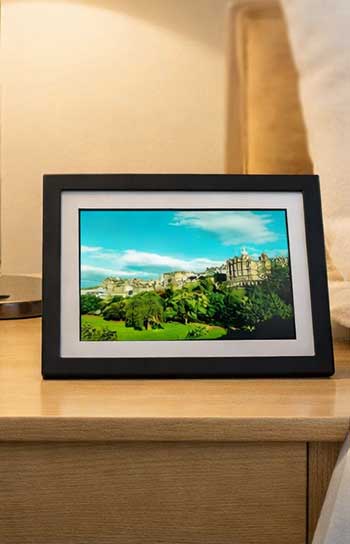
- Unique email address for every frame Each Skylight arrives with its own private email. Anyone who knows that address can send photos from Gmail, Outlook, or any other service. The frame checks the inbox and adds the pictures automatically. This method removes the biggest barrier for less tech-comfortable relatives.
- Built-in local storage and offline mode Eight or sixteen gigabytes sit inside the frame. Once photos download they stay available even if the Wi-Fi disappears. Gift mode lets you preload dozens of pictures before shipping so the recipient sees a full slideshow the moment they plug it in.
- Responsive touchscreen and simple interface The glass surface feels smooth and reacts quickly to taps. You can zoom, rearrange order, or adjust brightness without leaving the frame. The menus stay shallow so older users rarely get lost.
- Optional Plus plan for extra polish Around forty dollars a year unlocks video playback, photo captions, album creation, and full remote control from the app. Basic photo display never requires payment. The subscription simply adds the features many people expect from a premium product.
- Consistent design and accessories Skylight frames look the same across sizes. Newer models accept snap-on outer frames in different colors and materials so the digital piece can match the rest of the room. The build quality stays uniform because one company controls the entire product.
Pros of Skylight
- Email sharing removes app barriers Grandparents, aunts, and cousins who live by email can contribute the same day the frame arrives. No learning curve, no downloads.
- Predictable, polished hardware Every Skylight frame feels the same in the hand. Touch response, brightness, and stand quality stay consistent across purchases.
- Strong offline capability Photos remain visible during internet outages. Preloading in gift mode means the frame works the second it powers on, even before Wi-Fi setup.
- Clean, modern design The bezels and stands look intentional rather than generic. Interchangeable outer frames on newer versions let you change the look seasonally.
- High user satisfaction scores Thousands of reviews sit near 4.7 stars. Most praise the simplicity for older adults and the reliable delivery of photos.
- Solid local storage for everyday use Eight to sixteen gigabytes hold thousands of pictures. Most families never fill the space under normal sharing habits.
Also Read: Is Frameology Worth It?
Cons of Skylight
- Higher upfront price The jump from a fifty-dollar Frameo to a one-hundred-fifty-dollar Skylight feels steep when the core photo display looks similar.
- Optional features locked behind subscription Video, captions, and some app controls require the yearly fee. Buyers who expected everything included can feel surprised.
- Lower resolution on common models Many ten-inch units run 1280 by 800. The picture stays clear at normal viewing distance yet lacks the crispness of newer higher-resolution panels.
- Limited local expansion No SD or USB ports on most models. Once the internal storage fills you must delete or subscribe for more cloud space.
- Aggressive image compression at times Some users notice softer edges compared with the original phone photos. The difference stays subtle on a shelf but appears under close inspection.
- Subscription pricing sits higher than Frameo’s Forty dollars a year adds up if you keep the plan active for several years. The free tier covers photos only, so video fans face ongoing cost.
How The Two Frames Handle Everyday Family Life?

I set both frames side by side in my living room for a month and invited the same group of relatives to send pictures.
Frameo felt faster once everyone installed the app.
Skylight felt more inclusive because email worked for the holdouts.
Display brightness on both adjusted well to room light, though Skylight’s touchscreen collected fingerprints a bit more visibly.
Power consumption stayed low enough that neither raised my electricity bill in any noticeable way.
Setup took under ten minutes for each. Frameo needed the friend code typed once; Skylight needed the unique email shared with the family group chat.
Storage behavior differed in practice. The Frameo thirty-two-gigabyte model swallowed every photo I threw at it.
The Skylight eight-gigabyte unit filled faster when several people sent high-resolution images daily.
Both kept working offline after the initial download, which proved useful during a weekend internet outage.
- Cost Of Ownership After The First Year
Frameo stays cheapest if you never upgrade. The optional Plus plan costs less than a couple of movie tickets. Skylight’s higher purchase price plus its steeper subscription creates a larger gap over three years.
Many owners of both brands simply ignore the paid tiers and remain happy. The real decision comes down to whether the email convenience of Skylight is worth the extra cash or whether Frameo’s lower barrier and free core features feel good enough.
- Who Should Buy Which Frame?
Choose Frameo when the budget is tight, the family already uses smartphones, and you want maximum storage without monthly fees.
Choose Skylight when the main user avoids apps, you value consistent hardware quality, and the email address removes friction for the whole extended family. I ended up keeping both because different relatives preferred different methods. That dual approach solved more problems than either frame alone.
Also Read: Is Frame It Easy Worth It?
Frequently Asked Questions (FAQ)
Skylight is a single brand with email sharing and consistent hardware. Frameo is a software platform that runs on many cheaper frames and relies on its app for sharing.
No. Core photo and short video sharing stay free. An optional yearly plan unlocks extra features.
Aura models frequently top independent tests for display quality and overall experience, though both Frameo and Skylight earn strong user ratings near 4.7 stars.
Frameo offers a lower-cost option with similar core features. Aura provides a more premium no-subscription experience if budget allows.
Final Thoughts
I started this comparison simply wanting a reliable way to keep family photos visible without constant phone checking. After living with both frames I can tell you the better choice depends on the people who will use it every day.
If your circle already lives inside smartphone apps and you prefer spending less up front, Frameo delivers everything you need without extra cost.
If you want the simplest possible path for relatives who still rely on email and you value uniform build quality, Skylight removes more friction even at the higher price. Either way you gain a living photo album that updates itself.
Pick the one that matches how your family already shares pictures, plug it in, and watch the memories start appearing on their own.