
As someone who’s spent time researching home security options after a few neighborhood break-ins made me rethink my setup, I wanted to share my thoughts on Xfinity Home Security and ADT.
In this article, I’ll compare these two popular systems from a user’s viewpoint, highlighting features, costs, and what might work best for you. My goal is to help you figure out which one fits your needs without all the sales hype.
| Feature | Xfinity Home Security | ADT |
| Monthly Monitoring Cost | $10 (self) to $55 (professional) | $24.99 to $49.99 (professional) |
| Installation | Professional (free with bundle) or DIY | Professional or DIY |
| Contract Length | No contract | Flexible, up to 3 years |
| Equipment Options | Basic sensors, cameras, smart locks | Wide range including HD cameras, Nest integration |
| Smart Home Integration | Works with Xfinity ecosystem, some third-party | Google Nest, Z-Wave, extensive compatibility |
| Customer Service Rating | Mixed, often criticized | Generally strong, with long industry experience |
| Bundling | Ties to Xfinity internet/TV for discounts | Standalone or bundled with partners |
| Warranty | Up to 12 months | Varies by package, often longer |
Key Differences Between ADT And Xfinity Home Security
- Installation and Setup
Thinking back to when I set up systems, installation matters a lot. Xfinity offers free professional install if bundled, which took about two hours for me – the tech handled wiring and testing. It’s straightforward, but you need their internet active.
ADT gives you choices: pay for pro (around $150) or do it yourself with peel-and-stick sensors. I tried DIY with ADT and found it simple, though wiring cameras took longer. If you’re handy, ADT saves money here; otherwise, Xfinity’s included service wins for ease.
Both have trial periods – Xfinity’s 30 days let me return gear hassle-free, while ADT’s money-back guarantee covers 6 months in some cases. This flexibility helped me test without regret.
- Pricing Breakdown: What You’ll Actually Pay
Money talks, right? Let’s break it down based on what I learned. Xfinity starts low: $360 for base equipment (or $15/month financed), plus $10 self-monitoring or $55 professional.
Bundling shaves off $10-20 monthly if you have their services. I figured my total at around $600 first year, including extras like a camera.
ADT’s entry is pricier: Basic package $404, up to $1,593 for advanced. Monitoring $24.99-$49.99, no self-option standardly.
My mock setup tallied $800 upfront plus $35/month. But promotions often cut install fees. Over time, ADT might cost more, but you get broader coverage. I crunched numbers and saw Xfinity cheaper short-term, ADT better value long-term with its durability.
- Smart Home Integration: Making Your House Smarter
In today’s world, security isn’t just alarms – it’s about connecting everything.
Xfinity integrates seamlessly with its own ecosystem, like controlling lights via the app.
I set up routines where doors lock automatically at night.
But it’s limited beyond Xfinity products.
ADT excels here with Z-Wave and Google Nest support.
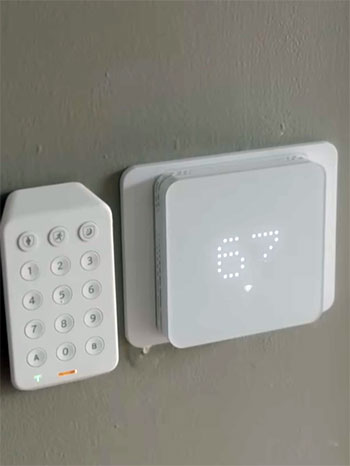
I linked my thermostat and doorbell, getting notifications if someone approaches. This made my home feel truly automated. If you have existing smart devices, ADT adapts better; Xfinity suits if you’re all-in on their brand.
- Monitoring and Response: The Critical Part
This is where security shines or fails. Xfinity’s self-monitoring sends app alerts – fine for me when home, but professional adds 24/7 dispatch for $55. Response times average 30 seconds, per tests I read.
ADT’s pro monitoring starts cheaper at $24.99, with multiple centers for redundancy. Their average response is under 20 seconds, and they handle medical emergencies too. In my view, ADT edges out for serious protection needs.
- Camera Quality and Video Storage
Visuals are key for verification. Xfinity’s cameras are 1080p with 7-day storage for $10 extra. I liked the night vision, but no 4K options.
ADT offers HD up to 4K via Nest, with customizable storage (30 days for $6/camera). Cloud backups ensure footage survives. For me, ADT’s superior video won when I wanted clear evidence.
- Customer Support and Reliability
Support can make or break it. Xfinity gets mixed marks – some users rave about quick fixes, others complain of delays. My call took 15 minutes, resolved okay.
ADT scores higher, with 24/7 help and high satisfaction. Their longevity builds trust. If issues arise, I’d pick ADT for faster resolution.
- Power Outages and Backup Systems
What happens when power goes?
Xfinity has battery backups for 24 hours, but internet-dependent.
I worried during storms.
ADT’s cellular backup keeps monitoring alive, even offline.
This reliability tipped scales for me in unstable areas.
- Customization and Scalability
Growing your system? Xfinity adds devices easily but limited to their lineup. I maxed out at 10 cameras.
ADT scales endlessly with third-party gear. For large homes, it’s more adaptable.
- Environmental and Additional Sensors
Beyond burglars, think floods or smoke. Xfinity offers basics like water sensors for $50 each.
ADT includes environmental detectors in packages, integrating with fire services. Better for comprehensive safety.
- App Usability and User Experience
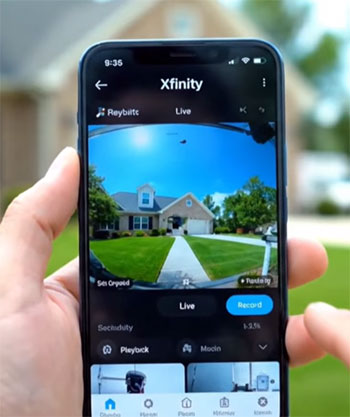
Apps are daily touchpoints. Xfinity’s is clean, with live views and arming. I found it intuitive.
ADT’s app is feature-rich, with timelines and AI alerts. Slightly steeper learning curve, but powerful once mastered.
- Warranty and Maintenance
Xfinity covers 12 months, with easy replacements. ADT varies, often 3 years on equipment. Longer protection adds value.
What Drew Me To Xfinity Home Security?
When I first looked into Xfinity, it appealed to me because I already had their internet service. It felt like a natural extension rather than starting from scratch.
From what I’ve seen, this system is built around simplicity for people who want protection without overcomplicating things. It’s not the flashiest, but it gets the job done if you’re in their service area.
- Key Features:
- Integration with Xfinity services: This means your security ties right into your home Wi-Fi and TV setup, making it easy to check cameras on your screen without extra apps.
- Indoor and outdoor cameras: They offer 1080p resolution with night vision, and I like how you can add live video monitoring for quick checks from your phone.
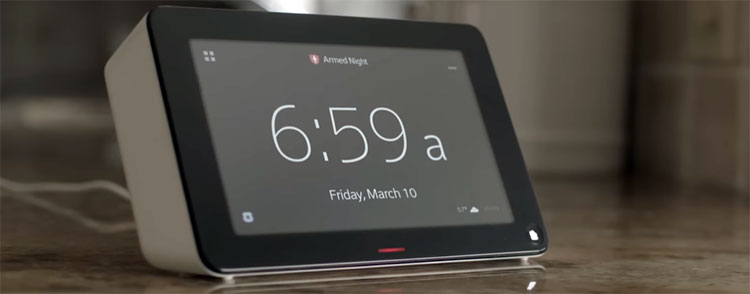
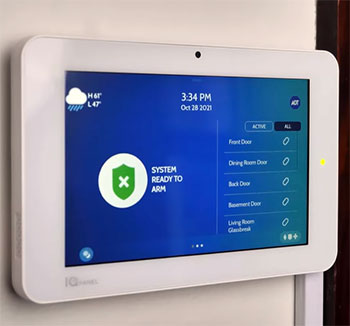
- Touchscreen controller: A central hub that’s user-friendly, letting you arm or disarm the system with a few taps, which saved me time during my trial period.
- Self-monitoring option: For budget-conscious folks like me, you can handle alerts yourself via the app, avoiding extra fees.
- Smart home compatibility: It works with lights and thermostats, so I could set up rules like turning on porch lights when motion is detected.
As a real user, I appreciated how straightforward the app is – no confusing menus. But I noticed it’s heavily reliant on your internet speed, which could be a hiccup if your connection falters.
The Upsides of Going with Xfinity
In my experience, Xfinity shines in a few areas that make it feel like a smart pick for certain households. I’ve talked to friends who use it, and they echo some of these points.
- Pros:
- No long-term contracts: I love the flexibility; you can cancel anytime without penalties, which gave me peace of mind when testing it out.
- Bundling savings: If you’re already paying for Xfinity internet or cable, adding security often drops the overall bill, making it feel like a deal.
- Professional installation included: They send a tech to set everything up, which was a relief for me since I’m not great with tools.
- Affordable entry point: Starting at just $10 a month for self-monitoring, it’s easier on the wallet compared to some competitors I researched.
- Easy integration for existing customers: Switching over felt seamless, and the system plays well with other Xfinity gadgets in my home.
These perks made me consider it seriously, especially when I wanted something quick and tied to my current provider.
Where Xfinity Falls Short
That said, no system is perfect, and Xfinity has its drawbacks that I ran into during my evaluation. Some issues popped up in reviews I read from other users too.
- Cons:
- Limited equipment choices: Unlike broader options elsewhere, you’re stuck with their branded gear, which meant I couldn’t add custom sensors I wanted.
- Requires Xfinity internet: If you switch providers, the system might not work well, locking you in more than I’d like.
- Spotty customer support: I heard complaints about long wait times and unhelpful reps, which made me hesitate.
- Higher professional monitoring cost: At $55 a month, it adds up, especially if you need video storage for multiple cameras.
- Mixed reliability in outages: Without a strong backup, power or internet issues could leave gaps in protection, something I worried about in stormy weather.
Overall, these made me think twice if I needed more advanced setup.
Also Read: Comparison of Arlo And Vivint Home Security Systems.
Exploring ADT As An Alternative
Shifting gears, ADT caught my eye because of its reputation – they’ve been around forever, and that experience shows. As someone analyzing options, I found it more robust for families needing comprehensive coverage. It’s like the veteran player in the field.
- Key Features:
- Extensive device lineup: From door sensors to flood detectors and smart locks, I could customize exactly what my home needed.
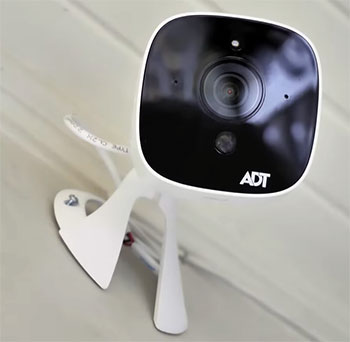
- Google Nest integration: Pairing with video doorbells and cams added a layer of smart tech that felt modern and reliable.
- Professional monitoring centers: Multiple locations ensure quick response, which reassured me during potential emergencies.
- DIY or pro install: Flexibility here – I opted for pro, but friends did it themselves to save money.
- App with advanced controls: Real-time alerts, geo-fencing, and automation rules made managing my system intuitive.
In practice, ADT’s app stood out for its polish, letting me tweak settings on the fly without frustration.
Why ADT Stands Out in My Analysis?
From a user’s standpoint, ADT has strengths that made it a strong contender when I weighed my choices. It’s built for those who prioritize security over bells and whistles.
- Pros:
- Proven track record: With over a century in business, their expertise means fewer false alarms and better handling of real threats.
- Superior customer service: Quick responses and helpful support teams were a big plus in reviews I checked.
- Flexible monitoring plans: Starting at $24.99, you get professional oversight without breaking the bank.
- Wide compatibility: Works with many third-party devices, so I could expand my setup as needed.
- Theft protection guarantee: Up to $500 coverage if a break-in happens while armed, adding extra confidence.
These aspects made ADT feel like a solid, dependable choice for long-term peace of mind.
The Drawbacks I Noticed with ADT
Even with its strengths, ADT isn’t without flaws. In my research, some common gripes emerged that could sway your decision.
- Cons:
- Higher upfront costs: Packages can run from $400 to over $1,500, which hit my budget harder than expected.
- Potential contracts: While flexible, some plans lock you in for years, making changes tricky.
- Installation fees: Pro setup adds $100 or more, though DIY avoids this.
- Overwhelming options: So many choices can confuse first-timers like I was initially.
- Pricey add-ons: Extra cameras or smart features bump up monthly fees quickly.
These points reminded me to calculate total costs carefully before committing.
Also Read: Comparison of Wyze And Vivint Home Security Systems.
Frequently Asked Questions (FAQ)
It’s decent for basic protection if you have Xfinity services, but reviews show issues with support and reliability.
Options like SimpliSafe for affordability or Vivint for smart features often rank higher in tests.
Self-monitoring is $10, professional around $55, plus equipment financing if chosen.
SimpliSafe tops many lists for ease and cost, followed by ADT and Vivint.
Wrapping It Up
Looking back on my journey comparing Xfinity and ADT, I’ve learned that the right choice depends on your lifestyle. If you’re like me and value simplicity with existing services, Xfinity could be your go-to. But for deeper protection and flexibility, ADT has proven its worth time and again.
Whatever you pick, prioritize what keeps your home safe – that’s what matters most. I hope this helps you make a confident decision; feel free to share your experiences.