
As someone who’s spent countless hours tweaking my home setup with smart lights, I want to share my thoughts on Govee and Nanoleaf.
The main goal here is to break down these two popular brands so you can figure out which one fits your space, budget, and style.
Whether you’re after affordable strips or premium panels, I’ll cover the essentials to help you choose wisely.
| Feature | Govee | Nanoleaf |
| Price Range | Affordable, starting around $20 for basic strips | Premium, panels from $100+ per set |
| Design Options | Flexible strips, bulbs, outdoor lights | Modular panels, shapes like hexagons and triangles |
| App Integration | Govee Home app with voice control | Nanoleaf app, works with HomeKit, Alexa |
| Customization | Millions of colors, music sync | Touch-sensitive, scene creation |
| Installation | Easy peel-and-stick | Wall-mounted with adhesives or screws |
| Expandability | Mix and match products | Connect panels for larger designs |
| Energy Use | Low power LED | Efficient but depends on setup size |
| Community | Growing user base | Strong for creative installs |
Head-to-Head Comparison of Govee And Nanoleaf
- Design and Aesthetics
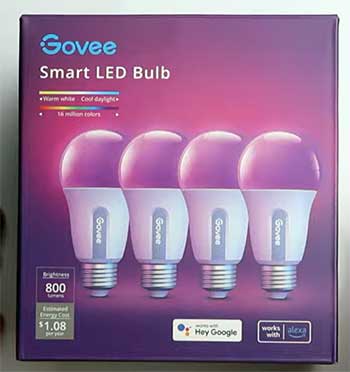
In terms of design, Nanoleaf takes the lead with its artistic panels that let me create geometric patterns on walls.
It’s like having customizable art that lights up, adding a modern, eye-catching element to any room.
Govee, meanwhile, focuses on practical strips and bulbs that hide away, blending into furniture or ceilings for a more understated look.
I prefer Nanoleaf for that visible wow-factor in social spaces, but Govee’s subtlety wins in minimalist or functional areas where you don’t want the lights to steal the show.
Overall, if aesthetics are your priority, Nanoleaf feels more like a design statement, while Govee prioritizes seamless integration.
- Features and Functionality
Both brands offer music sync, but Nanoleaf’s Rhythm module reacts more precisely to beats, making parties epic with lights that dance in real-time. Govee’s DIY mode allows pixel-level control on certain strips, which I’ve used for detailed effects like gradients or animations.
Voice commands work well on both, though Nanoleaf’s touch sensitivity gives it an edge for hands-on fun without needing your phone. In practice, Nanoleaf edges out for interactive features, but Govee holds its own with straightforward, reliable tools that get the job done without overcomplicating things.
- Pricing and Value
Govee dominates here with budget-friendly options; I outfitted my entire kitchen for what one Nanoleaf kit costs, making it ideal for whole-home coverage on a dime. Nanoleaf justifies its premium with superior build and features, offering better longevity and that high-end feel.
If value means more bang for your buck in terms of quantity and accessibility, Govee is the clear winner; for quality and investment in lasting design, Nanoleaf provides returns over time through durability and appeal.
- Ease of Setup
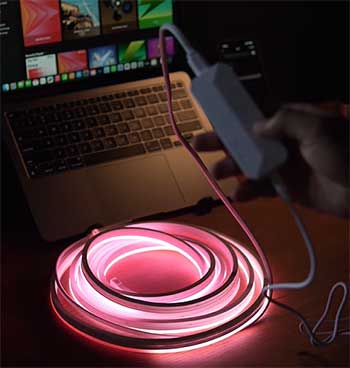
Govee’s plug-and-play approach suits beginners—I had lights up in minutes with simple peeling and sticking, no tools required.
Nanoleaf demands more effort with app-based layout planning and precise mounting, but the result feels rewarding once complete.
For quick wins and minimal hassle, especially in temporary setups, Govee shines; for those willing to invest time in a polished installation, Nanoleaf delivers a more professional outcome.
- Smart Home Compatibility
Nanoleaf integrates deeply with major platforms, including Thread for faster responses and less latency. Govee covers basics but lacks native HomeKit support, relying on bridges or alternative methods.
In my mixed ecosystem, Nanoleaf syncs smoother across devices, making it preferable for complex smart homes, whereas Govee works fine for simpler voice-controlled setups.
- Customization Options
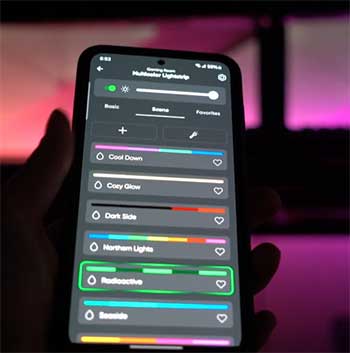
Govee’s app lets me create segments on strips for zoned lighting, ideal for desks or shelves where I need targeted colors. Nanoleaf’s scenes include animations like fireworks or flowing patterns, which I’ve customized for holidays and events.
Both excel in personalization, but Nanoleaf feels more artistic with its shape-based creativity, while Govee offers practical, segment-by-segment tweaks for everyday utility.
- Durability and Build Quality
Nanoleaf’s panels feel sturdy, with a premium finish that withstands daily touches and occasional bumps. Govee’s are reliable but show wear faster in high-traffic areas, like fading adhesives or minor discoloration over time.
Over the years I’ve used both, Nanoleaf holds up better for permanent installs, but Govee surprises with its resilience in varied environments, especially outdoors.
- Energy Efficiency
Both use LEDs, but Govee’s simpler designs consume less overall, keeping my bills low even with multiple strips running. Nanoleaf’s larger setups can spike usage, though smart scheduling helps.
For eco-conscious users or those watching energy costs, Govee edges out slightly, particularly in expansive configurations where efficiency adds up.
- Community and Support
Nanoleaf boasts a vibrant community with shared designs and tutorials, which I’ve borrowed often to spark ideas.
Govee’s growing forum offers practical tips and troubleshooting. Support-wise, Nanoleaf responds quicker in my dealings, with more detailed resources, making it feel more polished overall compared to Govee’s sometimes slower but still effective assistance.
Pros of Govee Smart Lighting
When I first got my hands on Govee products, I was impressed by how much value they pack in without breaking the bank. To give you a clearer picture, here’s an unordered list of the key advantages, each with some personal insights from my usage:
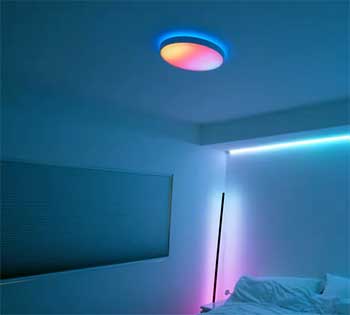
- Affordability: These lights start at prices that won’t empty your wallet, like basic LED strips for under $30. In my experience, this makes experimenting with smart lighting feel risk-free, especially if you’re new to it and want to test the waters in one room before going all-in.
- Variety in Lineup: Govee covers a wide range, from indoor strips and smart bulbs to outdoor floodlights and even car interior kits. I’ve used their products across my home and vehicle, appreciating how one brand can handle diverse needs without forcing me to mix and match from multiple sources.
- Straightforward App Control: The Govee Home app connects via Bluetooth or Wi-Fi, letting me schedule lights, group them, and sync with music. For movie nights, my TV backlight strips pulse to the soundtrack, creating an immersive vibe that’s easy to set up right from my phone.
- Durability: Many models come with IP ratings for water resistance, holding up well in humid areas like bathrooms or outdoors. I’ve had mine running non-stop for over a year, and they still perform reliably without fading or failing.
- Community Support: There’s a growing online community where users share custom scenes and tips. I’ve downloaded several pre-made effects that saved me time, turning my basic setup into something more personalized and creative.
Cons of Govee Smart Lighting
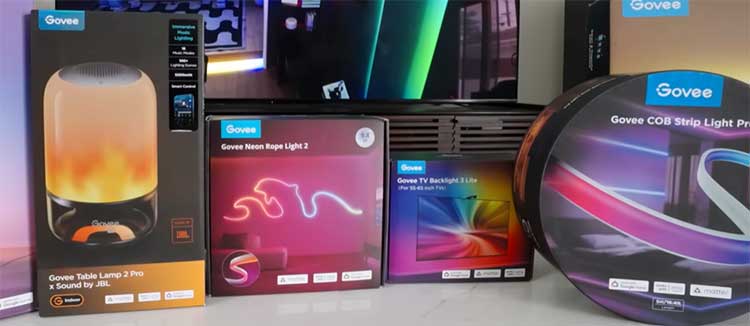
That said, Govee isn’t without its flaws, and I’ve encountered some frustrations along the way. Here’s an unordered list breaking down the main downsides, based on what I’ve noticed in daily use:
- Build Quality: The materials can feel a bit cheap and plasticky, especially compared to pricier competitors. In warmer environments, the adhesives on strips have peeled off for me, requiring extra tape or mounts to keep them in place.
- App Glitches: Occasional lags when syncing multiple devices have interrupted my routines. I’ve had to restart the app or reconnect lights, which is annoying when I’m in the middle of adjusting settings for a gathering.
- Limited Smart Home Integration: While compatible with Alexa and Google Assistant, it doesn’t natively support Apple HomeKit, meaning extra hubs or apps for full compatibility. As someone who switches between ecosystems, this has added unnecessary complexity.
- Color Accuracy: Whites sometimes come out with a blue tint, which isn’t ideal for precise lighting like reading or working. It’s great for fun colors, but I’ve adjusted settings manually to get closer to natural tones.
- Customer Service Variability: Response times can drag on for days, though the help I’ve received was eventually useful. It’s not the quickest support, which matters if you’re dealing with a setup issue right away.
Also Read: Alternatives To Lampe Berger.
Pros of Nanoleaf Smart Lighting
Switching to Nanoleaf, I find their products bring a level of sophistication that’s hard to match. To elaborate, here’s an unordered list of the standout benefits, drawn from how they’ve enhanced my spaces:
- Modular Design: The panels, like hexagons and triangles, let me build custom wall art that also serves as lighting. I’ve arranged mine into unique patterns that double as decor, making my walls a focal point rather than just background.
- Touch Controls: Panels respond to taps for changing colors or activating scenes, adding an interactive element. In my living room, this has turned lighting into a game for visitors, who love playing with it during hangouts.
- Seamless Integration: Works flawlessly with HomeKit, Alexa, Google Assistant, and even gaming setups like Razer Chroma. I’ve linked mine to my entire smart home, controlling lights alongside other devices without any hiccups.
- Superior Light Quality: RGBW LEDs provide crisp whites and vibrant colors, suitable for both ambiance and tasks. In my office, this means no eye strain during long hours, with lighting that feels professional and adjustable.
- Expandability and Community: Easy to add more panels for bigger designs, and the app’s community scenes offer endless inspiration. I’ve grown my setup gradually, incorporating user-shared ideas that keep things fresh and exciting.
Cons of Nanoleaf Smart Lighting
On the flip side, the price tag hits hard. To give you the full rundown, here’s an unordered list of the drawbacks I’ve experienced, helping you weigh if the premium is worth it:
- High Cost: Starter kits often exceed $200, which can be a barrier. I hesitated at first, as it felt like a big commitment compared to cheaper alternatives for similar basic functions.
- Installation Challenges: Mounting requires careful planning, measuring, and leveling—I’ve botched a few alignments initially. While adhesives are convenient, removing them can mark walls, and screws offer permanence but more effort.
- App Overload: The feature-packed app can be intimidating for beginners, with options for layouts and rhythms taking time to learn. It took me a couple of sessions to get comfortable, especially for intricate customizations.
- Higher Power Draw: Larger configurations consume more energy, which I’ve noticed on my utility bills during extended use. Scheduling helps mitigate this, but it’s something to monitor in bigger setups.
- Limited Repair Options: If a panel breaks, replacements mean buying new ones, as they’re not user-serviceable. Thankfully, mine have been durable, but it’s a potential long-term cost to consider.
Also Read: Comparison of Govee And Lyra Floor Lamps.
Frequently Asked Questions (FAQ)
Yes, Govee is a Chinese company headquartered in Shenzhen, founded in 2017 by former Anker executive Wu Wenlong, focusing on innovative smart home products.
Absolutely, especially if you’re on a budget; users in 2025 praise their brightness, affordability, and features like music sync in models such as the Strip Light 2 Pro and Permanent Outdoor Lights, making them a solid choice for reliable smart lighting.
It depends on your needs—Philips Hue stands out for premium integration and ecosystem compatibility, but Govee often wins on brightness, variety, and lower cost, as highlighted in recent 2025 comparisons for value-driven setups.
Typical issues include app glitches like slow loading or connectivity lags, adhesive wear on strips leading to peeling, color inconsistencies or flickering, and occasional overheating in enclosed areas, based on 2025 user reports and fixes.
Final Thoughts
In wrapping this up, I’ve shared my take on Govee and Nanoleaf to guide your choice. If affordability and versatility call to you, go with Govee—it’s served me well for everyday needs. For that premium, artistic touch, Nanoleaf elevates spaces in ways I love.
Whichever you pick, you’ll brighten your home smartly. What do you think—ready to light up your world?