
I’ve spent years securing my home with smart cameras, and Eufy’s indoor options have become my go-to for reliable, no-subscription monitoring.
In this article, I’ll compare the Eufy Indoor Cam E220 and C220 head-to-head—two popular 2K pan-and-tilt models that look similar at first glance but differ in ways that can make or break your setup.
Whether you’re watching pets, kids, or just wanting peace of mind, my goal is to give you a clear, honest breakdown based on real-world use to help you pick the right one for your needs.
| Feature | Eufy Indoor Cam E220 | Eufy Indoor Cam C220 |
| Resolution | 2K (2304 x 1296) | 2K (2560 x 1440) |
| Field of View | 125° diagonal | 100° diagonal |
| Pan & Tilt | 360° pan, 96° tilt | 360° pan, 96° tilt |
| AI Detection | Human, pet, crying | Human, motion, sounds |
| Smart Home Compatibility | Apple HomeKit, Alexa, Google Assistant | Alexa, Google Assistant |
| Privacy Mode | No | Yes (lens physically turns away) |
| Preset Positions | Basic | Multiple customizable presets |
| Night Vision | Infrared up to 32.8 ft | Infrared (around 30 ft) |
| Storage Options | microSD, cloud, NAS (RTSP) | microSD (up to 128GB), HomeBase 3 storage |
| Two-Way Audio | Yes | Yes |
| Auto-Tracking | Yes | Yes |
| Approximate Price | $40–$55 | $30–$40 |
Key Differences Between The Eufy C220 And E220
Side-by-side testing highlighted these distinctions most clearly over months of use.
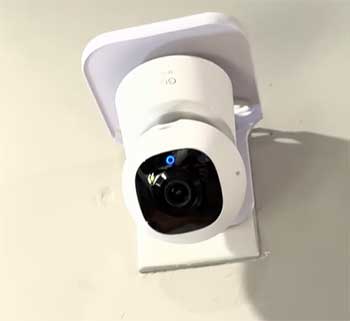
- Field of View and Coverage Style (125° vs 100°): The E220’s wider lens grabs more scene statically, ideal for open spaces with fewer blind spots. The C220 compensates with faster panning but risks missing split-second action outside its initial view.
- AI Detection Depth: E220’s on-device processing separates humans, pets, and crying for precise alerts. C220 handles human/motion/sound reliably but groups everything more broadly, increasing notification volume from non-human activity.
- Privacy Implementation: C220’s physical lens rotation provides tangible reassurance—no recording possible when activated. E220 uses software disabling only, which works but lacks that visible hardware confirmation.
- Preset Positions and Automation: C220 supports multiple favorites and basic patrols for set-it-and-forget-it routines. E220 limits to single home position, requiring more manual control.
- Smart Home Ecosystem Support: E220 includes native Apple HomeKit for secure, hub-free Apple integration. C220 supports Alexa and Google Assistant well but excludes HomeKit entirely.
- Storage and Network Flexibility: E220’s RTSP enables direct NAS streaming for advanced users. C220 prioritizes microSD/HomeBase, simpler but less customizable.
- Design and Build Evolution: C220 adopts a more compact, contemporary look that camouflages better. E220’s taller profile feels more traditional but has proven durability over longer real-world time.
- Price-to-Feature Ratio: C220 positions as the affordable daily driver with modern conveniences. E220 justifies premium pricing through specialized AI and broader compatibility.
- Motion Tracking Behavior: E220 benefits from wider initial view for quicker lock-on across big areas. C220 excels at rapid, tight following once engaged—better suited to confined spaces.
- Long-Term Software Trajectory: E220 enjoys mature, refined firmware from years of updates. C220, being newer, receives ongoing enhancements like improved HomeBase features but starts from a slightly simpler baseline.
Also Read: Differences Between Eufy C220 And S230.
Key Features of The Eufy Indoor Cam E220
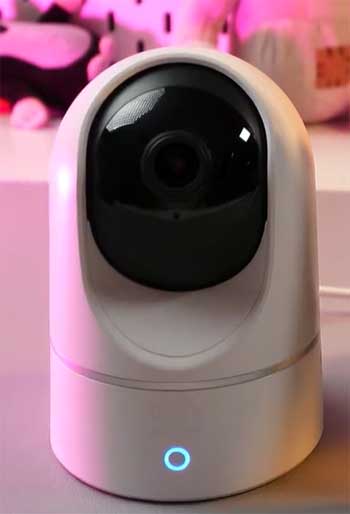
- Sharp 2K Video Quality: The clarity is impressive. I can read text on a package across the room or spot details on my dog’s face when he’s up to no good.
- Wide 125° Field of View: This wider angle means fewer blind spots. In my open-plan space, one camera covers almost everything without needing to pan constantly.
- Full Pan and Tilt Coverage: 360° horizontal and 96° vertical tilt let it scan the entire room smoothly and quietly.
- Advanced AI Detection: It distinguishes humans from pets and even picks up crying sounds—perfect when I used it as a temporary baby monitor.
- Apple HomeKit Support: Being able to pull up the feed in the Home app or use Siri feels seamless if you’re in the Apple world.
- Flexible Storage Options: Local microSD, optional cloud, or streaming to NAS via RTSP gives me control over my footage.
- Reliable Auto-Tracking: When motion triggers, it follows smoothly, keeping the subject centered.
- Clear Two-Way Audio: The speaker is loud enough to scare off my cat from the counter.
- Solid Night Vision: Black-and-white footage stays clear in complete darkness up to about 30 feet.
Pros of The Eufy Indoor Cam E220
I’ve relied on the E220 for years now, and its strengths keep impressing me in everyday scenarios.
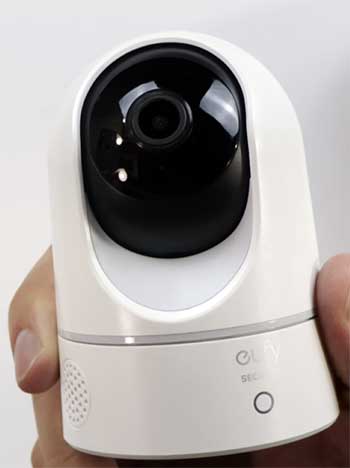
- Superior AI for Families and Pet Owners: The dedicated pet and crying detection is a game-changer. My notifications stay relevant—I get alerts when my dog jumps on the couch or when a baby monitor backup picks up unusual sounds—instead of constant pings from swaying curtains or shadows. This smarter filtering saves time and reduces alert fatigue.
- Wider Field of View Saves Placement Hassle: That 125° diagonal view captures so much more upfront. In my larger living areas, one E220 covers entryways, furniture, and play zones without constant panning, making initial setup easier and reducing missed moments during quick movements.
- HomeKit Integration for Apple Users: If you’re invested in Apple ecosystems like I am with HomePods and iPhones, native HomeKit support is seamless. I view secure streams in the Home app, use Siri commands, and expose the camera to automations without third-party workarounds or privacy concerns.
- Mature Software and Long-Term Support: As the older model, the E220 has received years of firmware updates refining motion tracking, stability, and even adding minor features. It feels polished and reliable, with fewer bugs than brand-new releases.
- Advanced Storage Flexibility with RTSP/NAS: Streaming directly to my Synology NAS for archival means I control long-term footage without relying solely on microSD or cloud. This is huge for privacy enthusiasts who want everything local.
- Proven Long-Term Durability: My units have run continuously for over two years without hardware failures, overheating, or motor wear. The build feels solid, and the pan/tilt mechanism stays quiet and precise.
- Better Initial Motion Capture: Combined with the wider FOV, auto-tracking locks on faster and follows subjects across larger areas before they exit the frame.
- Crying Detection as Bonus Baby Monitor: Even if not primarily for infants, this feature has helped friends using it temporarily, alerting specifically to crying rather than general noise.
Cons of The Eufy Indoor Cam E220
It’s not perfect, and some limitations have pushed me to try alternatives like the C220.
- Higher Price Point: Paying $15–$20 more stings when the core video and pan/tilt experience feels similar. Budget-conscious buyers might question if the extras justify the cost.
- No Physical Privacy Mode: Without a lens that turns away, privacy relies entirely on app disabling or manual repositioning. In bedrooms or guest spaces, this feels less reassuring than a hardware solution.
- Limited Preset and Patrol Options: Only basic home position returns exist—no multiple favorites or automated patrols. For rooms needing quick switches between views (like door vs crib), it’s manual every time.
- Bulkier, Dated Design: The taller profile stands out more on shelves compared to sleeker newer models. It doesn’t blend as discreetly into modern decor.
- Occasional WiFi Connectivity Quirks: The older WiFi chipset can struggle in dense 2.4GHz environments, requiring occasional reboots if many devices compete.
- No Built-In Physical Shield: Purely software-based privacy means if the app glitches or someone accesses your account, the camera could theoretically still record.
- Slightly Slower Preset Returns: Without multiple presets, returning to specific views takes more taps in the app.
Also Read: Differences Between Ring Chime And Ring Chime Pro.
Key Features of The Eufy Indoor Cam C220
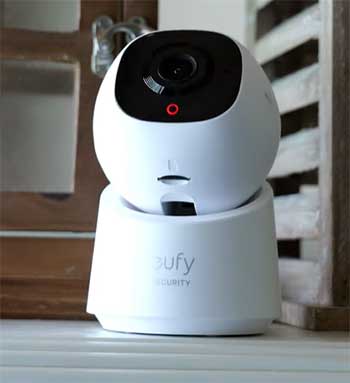
- Still Sharp 2K Resolution: Video quality holds up well, almost matching the E220 in good lighting.
- 360° Pan and Tilt: Same full-room coverage with smooth, quiet movement.
- On-Device AI for Basic Detection: Spots humans and general motion reliably, with sound triggers.
- Convenient Privacy Mode: One tap in the app, and the lens physically turns downward—reassuring for bedrooms.
- Multiple Preset Positions: I set favorites like “window,” “door,” and “bed” for quick jumps.
- Strong Auto-Tracking: Follows movement aggressively and keeps subjects centered.
- Clear Two-Way Audio: Comparable quality for talking to family or pets.
- Good Night Vision: Handles dark rooms well, though range feels slightly shorter.
- HomeBase 3 Storage Compatibility: Easy to offload footage if you have the hub.
- Compact, Modern Design: Blends in better with decor.
Pros of The Eufy Indoor Cam C220
The C220 surprised me with how much value it packs at a lower price—it’s become my go-to for secondary rooms.
- Outstanding Value and Accessibility: Getting nearly identical core performance for noticeably less money makes it easier to outfit multiple rooms without breaking the bank.
- True Hardware Privacy Mode: One-tap activation physically rotates the lens downward or away—immediate visual confirmation that recording stops. This is perfect for bedrooms, bathrooms nearby, or when guests visit.
- Multiple Customizable Presets and Patrols: Setting several favorite positions (crib, door, window, play area) and even basic patrol routes automates monitoring. I love tapping a preset for instant view switches without manual panning.
- Sleeker, More Modern Aesthetics: The compact design blends better into shelves or corners. It looks less like a security camera and more like intentional tech decor.
- Improved WiFi Stability: The newer chipset handles crowded networks better in my experience—fewer drops and faster reconnects.
- Snappier Auto-Tracking Response: Once motion triggers, it locks and follows aggressively, keeping fast-moving kids or pets centered longer in smaller spaces.
- Better HomeBase 3 Integration: Footage offloads seamlessly to the hub for expanded storage and BionicMind AI enhancements if you own one.
- Lower Operating Noise and Heat: The motor runs quieter during pans, and the unit stays cooler during extended use—noticeable in quiet bedrooms.
- Future-Proofed Feel: As the newer model, it receives priority updates, and features like preset patrols show Eufy’s evolving software direction.
Cons of The Eufy Indoor Cam C220
The compromises are evident when compared directly to the E220.
- Narrower Field of View Requires More Movement: At 100°, it captures less initially, forcing more panning for equivalent coverage. In wider rooms, this means potential missed events at edges or delayed tracking starts.
- Simplified AI Without Pet/Crying Specificity: General human/motion/sound detection leads to more false alerts from pets playing or ambient noise. I miss the E220’s filtering that ignores my dog’s routine movements.
- No Apple HomeKit Support: Locked out of secure Home app exposure and Siri control—if your household runs Apple-centric, this is a significant downside.
- Reduced Advanced Storage Options: No native RTSP means no direct NAS streaming. You’re limited to microSD or HomeBase, reducing flexibility for custom setups.
- Basic Detection Feels Less Intelligent: Lacks the nuanced categorization; everything funnels into similar notifications, making it harder to prioritize real events.
- Slightly Shorter Effective Night Vision: While rated similarly, real-world range feels a touch shorter in larger rooms, with less clarity at maximum distance.
- Newer Model Uncertainty: Less long-term testing means potential for early firmware issues (though mine have been stable so far).
- No Dedicated Crying Alert: Families using it as nursery backup get only general sound triggers, less specific than the E220.
Which One Should You Choose?
If you have pets, babies, or an Apple-heavy home, go with the E220—its smarter AI and HomeKit support make it worth the extra cost. For general monitoring on a budget, especially in smaller rooms where privacy mode matters, the C220 delivers fantastic value without major sacrifices.
Also Read: Differences Between Eufy S220 And S330 Security Cameras.
Frequently Asked Questions (FAQ)
It depends on your needs. The E220 is better for advanced AI (pet/crying detection) and HomeKit users. The C220 wins on price, privacy mode, and presets.
Yes, absolutely—it’s reliable, feature-packed, and still one of the best 2K indoor pan-tilt cameras available.
Yes, it has reliable on-device human detection.
No, both models are plug-in (wired power) with WiFi connectivity—no battery option.
Wrapping Up
You deserve a camera that fits your life perfectly. I’ve laid out everything I’ve learned from living with both the Eufy C220 and E220, and I hope this helps you make the choice that gives you real confidence in your home security.
Whichever you pick, you’ll be getting a solid, privacy-focused device from a brand that prioritizes local storage and no monthly fees. If your priorities shift later, both hold up well on the used market too.