
As someone who’s spent plenty of time tinkering with smart home gadgets, I wanted to share my thoughts on the Echo Spot and Echo Dot. My main goal here is to break down their differences, features, and which one might fit your setup better, based on how I’ve used them in real life.
Whether you’re building a smart home or just need a reliable Alexa assistant, this comparison should help you decide.
| Feature | Echo Dot (5th Gen) | Echo Spot |
| Price (approx.) | $50 | $80 |
| Design | Spherical, compact (3.9 x 3.9 x 3.5 inches) | Half-sphere with 2.5-inch screen (4.1 x 4.5 x 3.7 inches) |
| Screen | No | Yes, 2.5-inch touchscreen |
| Speaker | 1.73-inch | 1.73-inch |
| Sound Quality | Good bass, clear vocals | Decent, but less bass |
| Microphones | 3 | 4 |
| Sensors | Temperature, ultrasound motion | None specific |
| Smart Home Hub | Matter, Thread support | Zigbee hub |
| Weight | 10.6 oz | 14.8 oz |
| Colors | Charcoal, Glacier White, Deep Sea Blue | Black, Glacier White, Ocean Blue |
| Additional Features | Tap gestures, Eero Wi-Fi extender | Touch controls, visual displays for time/weather/album art |
| Power | 15W adapter | 15W adapter |
Key Differences Between Echo Spot And Echo Dot
To really highlight what sets them apart, I’ve compiled this list based on my hands-on time. These differences influenced which one I reach for depending on the situation:
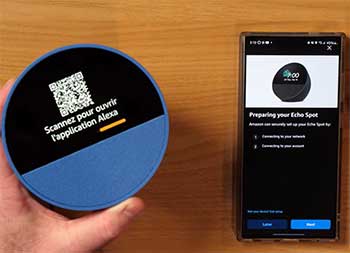
- Display Presence: The Spot has a touchscreen for visuals, while the Dot relies solely on audio. This means the Spot shows info at a glance, but the Dot keeps things simple and screen-free.
- Sound Quality: In my listening tests, the Dot edges out with better bass and volume, ideal for music lovers. The Spot’s sound is clearer for voices but lacks depth.
- Sensors and Gestures: Dot includes temp and motion sensors for automation and taps, which the Spot lacks. This makes the Dot more proactive in smart homes.
- Microphone Array: Spot’s four mics versus Dot’s three—I’ve noticed the Spot hears me better from farther away or in echoey rooms.
- Smart Home Protocols: Dot supports Matter and Thread for broader compatibility, while Spot has Zigbee. Depending on your devices, one might integrate easier.
- Size and Weight: Dot is lighter and smaller, easier to tuck away. Spot’s screen adds bulk, but it’s still compact.
- Price Point: At $50 vs $80, the Dot is more budget-friendly, making it accessible for multiples.
- Use Cases: Dot excels in audio-focused areas like kitchens; Spot in visual spots like bedrooms.
- Power and Connectivity: Both similar, but Dot’s Eero extender helps in weak Wi-Fi areas.
Elaborating, the display difference is huge for me. With the Spot, I can see a timer without asking Alexa to repeat it, which saves time. Sound-wise, I played the same tracks on both, and the Dot filled the room better, especially with upbeat songs.
Sensors on the Dot have automated my routines—like adjusting AC based on temp—something the Spot can’t do natively. Mics on the Spot shine in calls, picking up nuances. Protocol-wise, if you have Zigbee lights, Spot is plug-and-play.
Size matters for portability; I’ve moved the Dot between rooms more often. Price makes the Dot great for expanding your setup. Ultimately, these differences boil down to audio vs visual priorities.
Key Features of The Echo Dot
When I think about what makes the Echo Dot stand out, it’s the combination of affordability and capability that keeps me coming back. Here’s a breakdown of its standout elements:
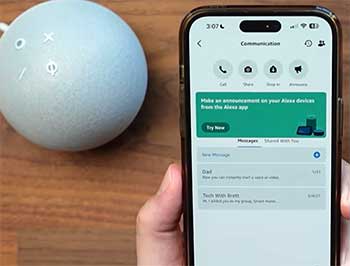
- Compact Design and Build Quality: The spherical shape is one of my favorites—it’s modern and doesn’t take up much room on a shelf or desk. Weighing just over 10 ounces, it’s easy to move around, and the fabric covering gives it a premium feel. I’ve dropped mine a couple of times, and it bounced back without a scratch.
- Audio Performance: With a 1.73-inch speaker, the Dot delivers surprisingly robust sound for its size. I love cranking up podcasts or playlists, and the bass is punchy enough to fill a small room. In my tests, it handled everything from rock to classical without distortion at moderate volumes.
- Alexa Integration: This is the heart of the device. Alexa responds quickly to commands like “play my morning playlist” or “set a timer for 10 minutes.” I’ve used it to control my smart lights, thermostat, and even order groceries. The voice recognition is spot-on, even in noisy environments.
- Sensors for Smarter Interactions: The built-in temperature sensor is a game-changer for me. It lets Alexa automate routines based on room temp, like turning on the fan if it gets too warm. Plus, the ultrasound motion detection enables tap gestures—I can snooze alarms by tapping the top, which feels intuitive.
- Smart Home Compatibility: Supporting Matter and Thread, it’s future-proof for connecting devices from different brands. I’ve linked it to Philips Hue bulbs and a Nest thermostat without issues. The Eero Wi-Fi extender feature also boosts my home network coverage, which is handy in larger spaces.
- Privacy Features: The mic mute button gives me peace of mind, and Alexa routinely deletes voice recordings if I ask. In my setup, this ensures I feel in control.
- Customization Options: From changing wake words to setting up multi-room audio, the Dot is versatile. I’ve grouped multiple Dots for whole-home music, and it syncs perfectly.
- Energy Efficiency: It sips power, using just a 15W adapter, which keeps my electricity bill in check even with constant use.
Elaborating on the audio, I’ve spent hours comparing it to other speakers, and for the price, it’s impressive. The clarity in vocals means audiobooks sound natural, and the adaptive sound adjusts based on placement.
In a bedroom, it doubles as a white noise machine, playing rain sounds all night without faltering. The sensors add a layer of automation I didn’t know I needed—imagine walking into a room and having lights turn on automatically because the Dot detects motion.
It’s these little touches that make daily life smoother. Privacy-wise, I’ve configured routines to announce when recordings are saved, adding transparency. Overall, the Dot’s features make it a workhorse that punches above its weight.
Pros And Cons of The Echo Dot
After extensive use, here are the upsides and downsides I’ve encountered with the Echo Dot:
Pros
- Affordability: At around $50, it’s a steal for what it offers. I’ve bought several without breaking the bank.
- Excellent Sound for Size: The bass and clarity surpass expectations. I use it daily for music, and it rivals pricier speakers in small spaces.
- Advanced Sensors: Temp and motion detection enable smart automations. For example, it turns on lights when I enter, enhancing convenience.
- Seamless Smart Home Integration: Matter support means it works with almost anything. I’ve connected diverse devices effortlessly.
- Compact and Versatile Design: Fits anywhere, and the colors blend in. It’s perfect for multi-room setups.
- Privacy-Focused: Easy mic mute and data controls keep things secure.
- Eero Wi-Fi Boost: Extends network coverage, solving dead spots in my home.
- Tap Gestures: Snoozing alarms by tapping is intuitive and quiet.
- Reliable Alexa: Fast responses and vast skills library.
Elaborating on pros, the affordability lets me scatter Dots around the house for whole-home voice control. Sound quality impresses; I’ve hosted small gatherings where it provided background music without strain.
Sensors have transformed my routines—imagine your heater kicking in automatically on cold mornings. Integration is flawless; no more app hopping. Design-wise, it’s unobtrusive yet stylish. Privacy features give confidence, especially with family use.
The Wi-Fi extender saved me from buying extra routers. Gestures feel futuristic, and Alexa’s ecosystem is endless—from recipes to trivia. These pros make the Dot a staple in my smart home.
Cons
- No Screen: Lacks visual feedback, so everything is audio-only. This can be annoying for complex info like weather details.
- Limited Volume: In larger rooms, it doesn’t get as loud as bigger Echos.
- Fewer Mics: Three mics sometimes miss commands in noisy settings.
- No Zigbee Hub: Relies on other protocols, which might require extra hardware for some devices.
- Basic Build: While sturdy, it feels plasticky compared to premium options.
- Power Adapter Required: No battery, so it’s tethered to outlets.
- Overheating in Prolonged Use: Gets warm during long sessions.
On the cons side, no screen means I sometimes pull out my phone for visuals, which defeats the hands-free purpose. Volume limits it to smaller areas; in my living room, I pair it with others. Mics struggle in kitchens with running water.
Without Zigbee, setup can be fiddly. Build is functional but not luxurious. Being plugged in restricts placement. Overheating hasn’t been an issue, but it’s noticeable. These aren’t deal-breakers, but they highlight where the Dot compromises for price.
Key Features of The Echo Spot
Shifting to the Echo Spot, its features revolve around that visual component, which sets it apart in my daily use. Let’s list them out:
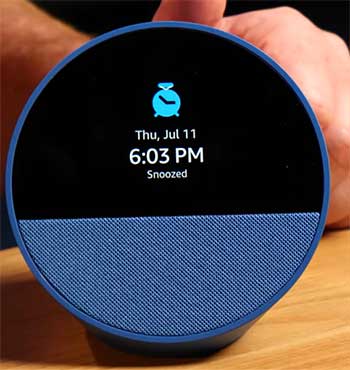
- Touchscreen Display: The 2.5-inch screen is the star here. It shows time, weather, and even song lyrics or album art. I use it as a bedside clock, and the customizable faces make it blend into any decor.
- Audio Capabilities: Equipped with a 1.73-inch speaker, it provides clear sound, though not as bass-heavy as the Dot. I’ve enjoyed using it for calls, where the four mics pick up voices better in group settings.
- Alexa Functionality: Just like the Dot, Alexa handles queries, reminders, and smart home controls. But with the screen, responses often include visuals, like a weather forecast with icons.
- Touch Controls: I can tap the screen to pause music or adjust volume, which is perfect for quiet moments when I don’t want to speak. It also supports swiping for quick smart home access.
- Smart Home Hub: Built-in Zigbee makes connecting compatible devices straightforward. I’ve paired it with smart plugs and sensors without needing extra hubs.
- Visual Feedback: For routines, it displays confirmations or timers counting down. This is great for visual learners like me, making interactions more confirmatory.
- Compact and Stylish: Slightly larger than the Dot but still portable, its half-sphere design with the screen on top looks sleek on a nightstand or desk.
- Privacy Controls: Similar to the Dot, with a mic/camera mute (though no camera here), ensuring secure use.
- Customization: Screen themes, clock styles, and audio EQ settings let me tailor it. I’ve set it to show news headlines in the morning.
Diving into the display, it’s not just a gimmick—it’s practical. Waking up to see the time without fumbling for my phone is a small luxury. During music playback, seeing artist info adds enjoyment. The touch interface feels responsive, and I’ve used it to control lights without voice, which is ideal late at night.
Audio-wise, while not the best, it’s sufficient for alarms or casual listening. The Zigbee hub simplifies my setup, reducing clutter. In terms of energy, it’s efficient, and the colors match my room aesthetics. These features make the Spot feel like a hybrid device, blending speaker and display in a way that’s uniquely useful.
Pros And Cons of The Echo Spot
Based on my time with the Echo Spot, here’s what I like and dislike:
Pros
- Useful Screen: Displays time, weather, and more, making it ideal as a clock. I glance at it constantly.
- Touch Interface: Controls without voice, great for silent operation.
- Better Mic Pickup: Four mics ensure commands are heard clearly.
- Zigbee Hub: Simplifies connecting certain smart devices.
- Visual Enhancements: Shows album art and routines, adding engagement.
- Stylish for Bedside: Design fits nightstands perfectly.
- Decent Audio: Clear for calls and alarms.
- Customizable Display: Themes and layouts to match your style.
- Alexa Reliability: Same smart assistant as other Echos.
Pros elaborated: The screen is a daily helper—seeing the forecast without asking saves time. Touch controls let me adjust volume discreetly at night. Mics excel in varied environments. Zigbee makes setup quick for compatible gear.
Visuals turn music into a show. It’s my bedtime companion, with dimmable display. Audio suffices for personal use. Customization keeps it fresh. Alexa’s prowess is unchanged. These make the Spot feel premium.
Cons
- Higher Price: $80 feels steep for incremental features.
- Weaker Bass: Sound lacks depth compared to Dot.
- No Sensors: Misses temp and motion for automations.
- Small Screen Limits: Can’t play videos or show detailed content.
- Bulkier Design: Takes more space than Dot.
- No Matter Support: Limited to Zigbee, potentially needing bridges.
- Touch Sensitivity Issues: Sometimes unresponsive.
- Overreliance on Screen: If it glitches, functionality drops.
Cons detailed: Price premium is for the screen, but if you don’t need it, it’s wasteful. Bass is thin for music enthusiasts. Without sensors, it’s less automated. Screen size restricts utility—no recipes or calls with video. Bulk makes it less portable.
Protocol limits compatibility. Touch can lag. Screen dependency means software bugs hit harder. Still, these are manageable for its intended use.
Real-Life Usage Scenarios
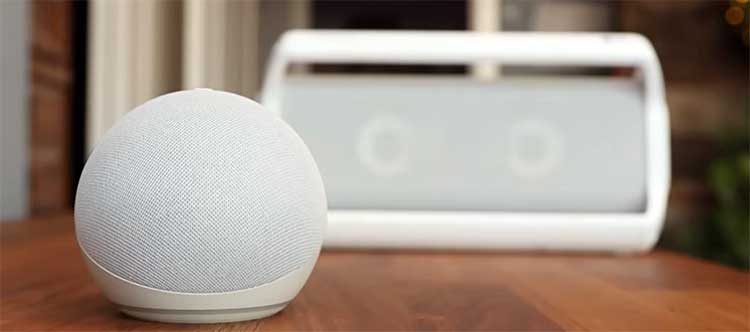
In my home, the Echo Dot thrives in active areas. In the kitchen, I ask it for recipes while chopping veggies, and its sound cuts through noise. For workouts, it plays motivating tracks with decent volume.
As a desk companion, it sets reminders without distraction. I’ve even used it in the garage for podcasts during projects.
The Spot, conversely, excels in quieter spots. On my nightstand, it wakes me with gradual alarms and shows the day’s agenda. In the office, the screen displays calendar events. For bedtime reading, it plays soft sounds while showing controls. It’s great for kids’ rooms too, with visual timers for chores.
Comparing scenarios, if you’re audio-focused, Dot wins. For visual cues, Spot. I’ve switched them around, and each shines in its niche.
Also Read: Is Govee Better Than Philips Hue Smart Lights?
Frequently Asked Questions (FAQ)
The main differences are the Spot’s touchscreen for visuals like time and weather, while the Dot focuses on better sound and sensors without a screen. Dot is cheaper and more compact.
No, the 2024 model is available and actively supported by Amazon.
It depends on needs, but the Echo Dot Max stands out for superior sound and features, or the Echo Show for full display capabilities.
It plays music, sets alarms, shows time/weather/album art on its screen, controls smart home devices, makes calls, and responds to Alexa commands with touch options.
Wrapping It Up
Looking back on my experiences with the Echo Spot and Echo Dot, I can say they’ve both enhanced my daily routine in unique ways.
I’ve shared the details to help you picture how they might fit into your life—whether it’s the Dot’s reliable audio in your busy spaces or the Spot’s visual aids on your nightstand.
You might find, like I did, that starting with the Dot gives you a solid foundation, and adding a Spot later fills in the gaps. Whatever you choose, these devices make smart living simpler and more enjoyable.
Give one a try, and you’ll see what I mean.